
Venue Scheduling Software: How to Manage Events Without Conflicts
Venue scheduling software stops double-bookings before they happen by tracking dates, rooms, holds, and crews in one live system instead of scattered spreadsheets.
- Music venues face conflicts that generic tools never see: competing holds, radius clause violations, load-in collisions, and double-booked sound engineers.
- 94% of business spreadsheets contain errors, which makes the spreadsheet-and-email method a liability the moment your calendar gets busy.
- A single double-booked Saturday can cost a mid-size room five figures in refunds, comped tickets, and a burned agent relationship.
- Real-time hold tracking and automatic conflict detection turn a 30-minute availability check into a two-second glance.
The question isn’t whether you can afford a scheduling platform built for live music shows. It’s how many conflicts your current system is hiding right now.
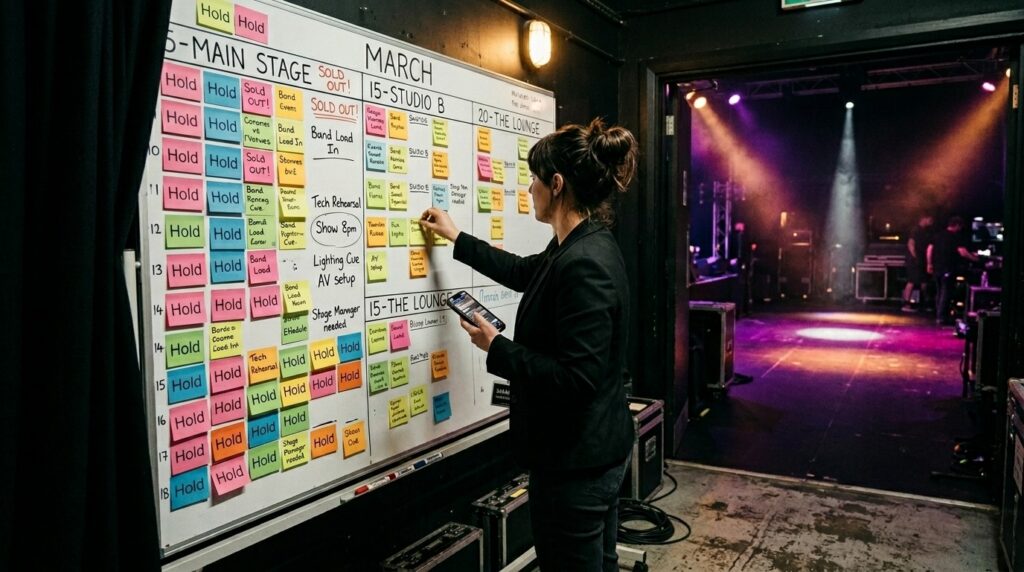
You confirm a Friday headliner over email, forget to update the shared calendar, and three days later, your talent buyer offers the same night to a touring act. Now two artists expect the same stage, two agents trust you less, and a refund pile eats the month’s margin. The right live music management software makes that scenario structurally impossible, and that’s the entire point of venue scheduling software. According to a 2024 literature review in Frontiers of Computer Science, roughly 94% of business spreadsheets contain errors, exactly the kind of system you don’t want between you and a sold-out weekend.
Generic event scheduling tools handle the basics, such as a date, room, and confirmation email. Live music runs on something messier. Holds stack on holds. Radius clauses block dates you never knew to flag. A three-day load-in collides with the recital you booked the same week. A platform built for concerts treats every one of those as a conflict to catch, not a surprise to clean up later.
What Is Venue Scheduling Software, and How Does It Prevent Conflicts?
Venue scheduling software is a centralized platform that tracks every event, hold, room, and resource against a single live calendar, then flags collisions before anyone commits. Instead of cross-referencing a spreadsheet and an inbox, your whole team works off one source of truth.
Conflict prevention happens at three layers. First, the calendar: when a date and room are held, everyone with access sees it immediately. Second, automatic detection: the system scans for overlaps a human eye misses, like a radius clause blocking a booking 40 miles away or a load-in window that bleeds into another event. Third, status logic: a hold doesn’t silently expire and reopen a date without notifying the people who need to know.
Good concert schedule planning depends on status logic. A hold can sit for months while an agent works out routing, so the system tracks expiration dates, fires reminders, and reopens dates cleanly when a hold drops. Manual tracking of that pipeline is where most double-bookings are born, which is why mastering concert scheduling and planning starts with the calendar itself.
Why Do Generic Event Scheduling Tools Fail for Live Music?
General-purpose platforms were built for weddings, corporate meetings, and conferences, where one event fills one room for one block of time. Live music breaks that model. Entertainment venues juggle rider requirements, load-in schedules, and security coordination that general-purpose tools don’t handle well, which is why music operators outgrow generic software fast.
The broader market reflects the gap. Grand View Research projects the event management software market will reach $39.6 billion by 2033, growing 11.5% a year, but most of that spend targets corporate and general events, not the workflows a concert calendar lives on.
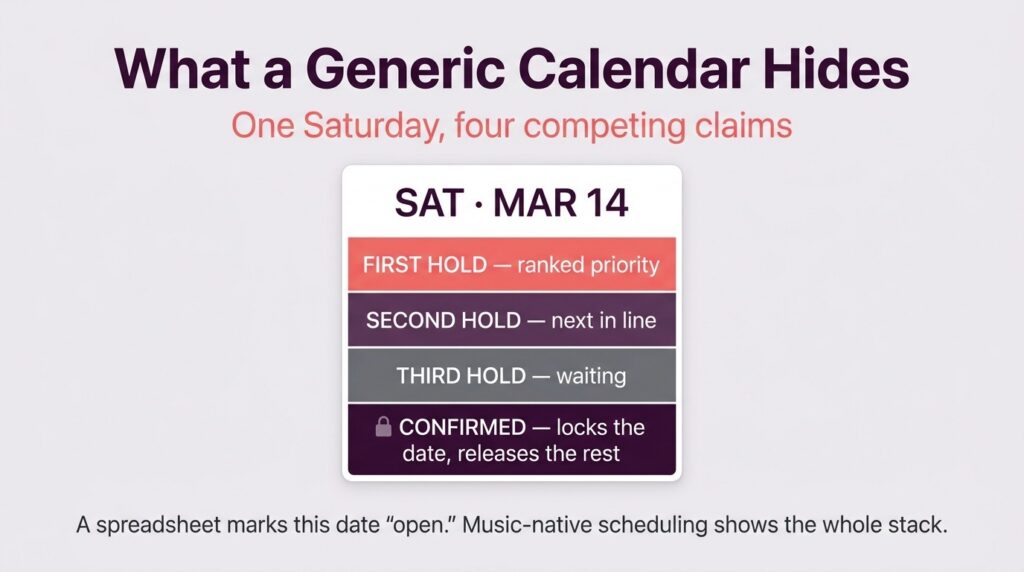
The clearest example is the hold. A wedding venue marks a date booked or open. A music venue runs first holds, second holds, and challenge windows on the same date across rooms, with rankings that shift when a hold above drops. No generic event scheduling tool models that, so operators track it in a spreadsheet anyway, which defeats the purpose of buying software.
How Do Holds and Confirms Change the Scheduling Math?
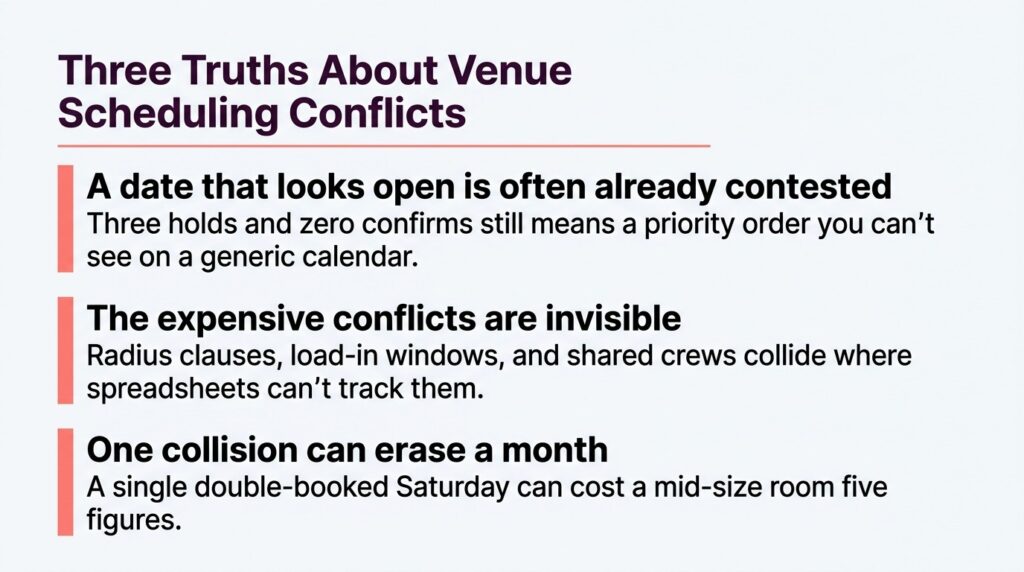
Holds are tentative claims on a date, confirms are locked bookings, and the gap between them is where conflicts hide. A date can carry three holds and zero confirms, which looks open on a generic calendar but is actually a contested slot with a priority order. Venue calendar management built for music displays that stack explicitly, usually color-coded, so a talent buyer never offers a date that’s already spoken for.
Priority logic matters too: when a first hold releases, the second is notified and can move up, which keeps your pipeline moving and prevents two agents from both thinking they’re first in line.
What Conflicts Are Unique to Concert Venues?
Music venues fight conflicts that don’t exist in corporate event scheduling. The obvious one is the double-booked stage. The expensive ones are subtler. A radius clause can prohibit an artist from playing within a set distance for a set window, so a booking that looks fine on your calendar can breach a deal you signed months ago.
Then there’s the production layer. A touring metal act needs a full day of load-in and a strike window, while the tribute band two nights later needs the same crew and loading dock. Your calendar might show two clean, non-overlapping dates while your sound engineer and dock are double-booked. Concert schedule planning accounts for people and equipment, well beyond dates and rooms.
What Does Conflict-Free Venue Scheduling Actually Cost to Skip?
The math on skipping purpose-built scheduling software is uglier than most operators admit. Here’s an illustrative example for a mid-size 800-cap room. A double-booked Saturday forces you to cancel the lower-grossing show. You refund 450 sold tickets at an average $42 net, which is $18,900 gone. Add the artist’s contracted guarantee you still owe, say $3,500, plus comped tickets and goodwill credits for the rebooked date at roughly $2,000.
That’s $24,400 from a single scheduling collision, before you count the agent who now routes their next three tours around you. When you run that figure against the annual cost of a purpose-built platform, the software pays for itself the first time it catches one conflict. The exact cost varies by room and deal, but one prevented double-booking usually covers the tool for a year or more.
The spreadsheet method also gets dangerous as you grow. Ten shows a month, you can track in your head. Fifty across three rooms, the error rate compounds, and you’re back to that 94% spreadsheet-fault statistic with real money on the line.
How Does a Conflict-Prevention Workflow Work Step by Step?
The easiest way to understand the software is to follow a date from inquiry to confirmation. Here’s the standard hold-to-confirm workflow that prevents conflicts at each stage:
- Agent inquiry. An agent asks about an open Saturday. You check the live calendar in seconds and see one existing second hold, ranked below your prospect.
- Place the hold. You drop a first hold. The system instantly marks the date tentative for the whole team and notifies the second-hold party of their position.
- Automatic conflict scan. The platform checks the booking against radius clauses, load-in windows for adjacent dates, and crew availability, then clears it or flags a problem before you’ve promised anything.
- Hold management. The hold sits with an expiration date. The system sends reminders as the deadline nears and escalates if no one acts.
- Convert to confirm. When the deal locks, you convert the hold. The date turns confirmed for all rooms and users at once, and competing holds are automatically released and notified.
- Downstream population. Confirmation triggers contract generation, settlement templates, and production scheduling, so the load-in and crew calendar updates without separate manual entry.
In the manual version, every handoff is a place where a conflict can slip through. Strong scheduling tools collapse those steps into a few clicks with detection running underneath, the same principle behind platforms that automate hold tracking and reporting end-to-end.
What Does Multi-Room and Multi-Venue Scheduling Look Like?
Operators running more than one room face exponentially more conflict surfaces, so the workflow adds a layer. A second workflow handles portfolio-level venue calendar management: you start from a master calendar showing every room and venue at once, filter to the spaces and dates you care about, spot open inventory, then drill into a single room to place a hold without leaving the view.
That bird’s-eye layer catches conflicts that span locations, like the same touring production hitting two of your rooms in one week. Generic tools make you toggle between separate calendars, which is how cross-venue collisions go unnoticed until load-in day. Platforms that sync calendars in real time across every stakeholder close that gap.
What Features Should You Look for in Venue Scheduling Software?
Not every tool that calls itself a scheduling platform actually understands live music, so evaluate it against the conflicts you actually face. Focus on the capabilities that prevent collisions, not the ones that look good in a demo.
- Integrated hold management with priority ranking: track first and second holds across rooms, with expiration dates and automatic notifications when status changes. This is the single most important conflict-prevention feature for music.
- Automatic conflict detection: the system should flag radius clause violations, room overlaps, and load-in collisions before you commit, not after.
- Real-time multi-room calendar: one live view across every space and venue, color-coded by status, so a change anywhere is visible everywhere instantly.
- Ticketing integration: real-time sales data flowing into each event gives you the context to shift rooms or adjust before a conflict becomes a loss.
- Mobile access: live music doesn’t keep office hours, so you need to place holds and clear conflicts from the venue floor or an airport gate.
Music-native platforms outperform generic event software because they’re built around these workflows, while general tools bolt scheduling onto a corporate-events core. The Pabst Theater Group runs six venues and thousands of events on a purpose-built system because spreadsheet-and-email coordination collapses at that scale. The honest tradeoff: a few generic tools offer slicker private-event features like floor-plan design, so if you book more weddings than concerts, weigh that. For a room that lives on holds and settlements, music-specific wins.
Book More Shows With Fewer Conflicts
Every prevented double-booking is a refund you didn’t issue, an agent relationship you didn’t burn, and a Saturday you got paid for. The operators pulling ahead treat their calendar as live infrastructure, not a static record, because conflict-free scheduling lets them say yes to more shows without the chaos compounding. When you’re evaluating live music management software that keeps your calendar clean from first hold to final settlement, Prism brings holds, confirms, production, and financials into one system built by people who’ve actually run rooms. Book a demo and see how a music-native calendar prevents the conflicts that cost you money.
Frequently Asked Questions
What is venue scheduling software? It’s a centralized platform that tracks events, holds, rooms, and resources against one live calendar and automatically flags conflicts like double-bookings, radius clause violations, and load-in collisions before anyone commits to a date.
How does scheduling software prevent double-bookings? It maintains a single real-time calendar that every team member shares, so a hold or confirm placed on a date is instantly visible to everyone. Automatic conflict detection scans for overlaps across rooms, crews, and contract terms, catching collisions that a manual spreadsheet check would miss.
What’s the difference between event scheduling tools and concert-specific software? Concert-specific software models holds versus confirms, hold priority ranking, radius clauses, and load-in windows that generic platforms don’t recognize. Generic tools treat a date as simply booked or open, which doesn’t reflect how live music booking actually works.
Can the software handle multiple rooms and venues? Yes. Strong venue calendar management gives you a master view across every room and location at once, with filtering to spot open inventory and conflicts that span venues, such as a touring production hitting two of your rooms in one week.
Is scheduling software worth it for a small venue? Often, yes, because a single prevented double-booking typically covers the annual cost. The risk from manual scheduling grows fast as your show count climbs, and one collision can erase a month’s margin.

Matt Ford is the founder and CEO of Prism.fm, a platform built to help the live music industry operate with more clarity and confidence. After 15+ years running venues, producing festivals, and promoting shows, Matt saw firsthand how much of the business relied on fragmented tools and guesswork. He founded Prism in 2018 to change that.
Today, Prism powers more than 3,000 venues and 330 organizations nationwide, serving as an all-in-one platform designed to streamline operations by replacing cumbersome spreadsheets with integrated tools for booking, financial tracking, and contract management. Matt has also led the development of Insights, Prism’s demand prediction platform, which uses real, verified ticketing data to help teams better understand artist performance and make smarter decisions before committing to a show.
Related Post
Best Performing Arts Management Software for PACs: 2026 Buyer’s Guide
Most performing arts management software only runs half your building, and the half it skips is where your margin lives. Before you sign anything in 2026, buy for the workflow you actually run: book, confirm,…
Theatre Management Software vs. Performing Arts Center Software: What PACs Actually Need
The label on the software matters far less than whether the tool models how a performing arts center actually runs a week. Shop by whether the software can run your Tuesday: a school matinee, a…
Performing Arts Center Software: How PACs Manage Complex Events & Reporting
A performing arts center runs more event types through the same rooms than any other venue in live entertainment, and generic scheduling tools collapse under that complexity. If your calendar, deals, and financials live in…